

Build your own flow
The Flows page cards are the four templates. Build your own is a separate template when you need a trigger those four do not cover.
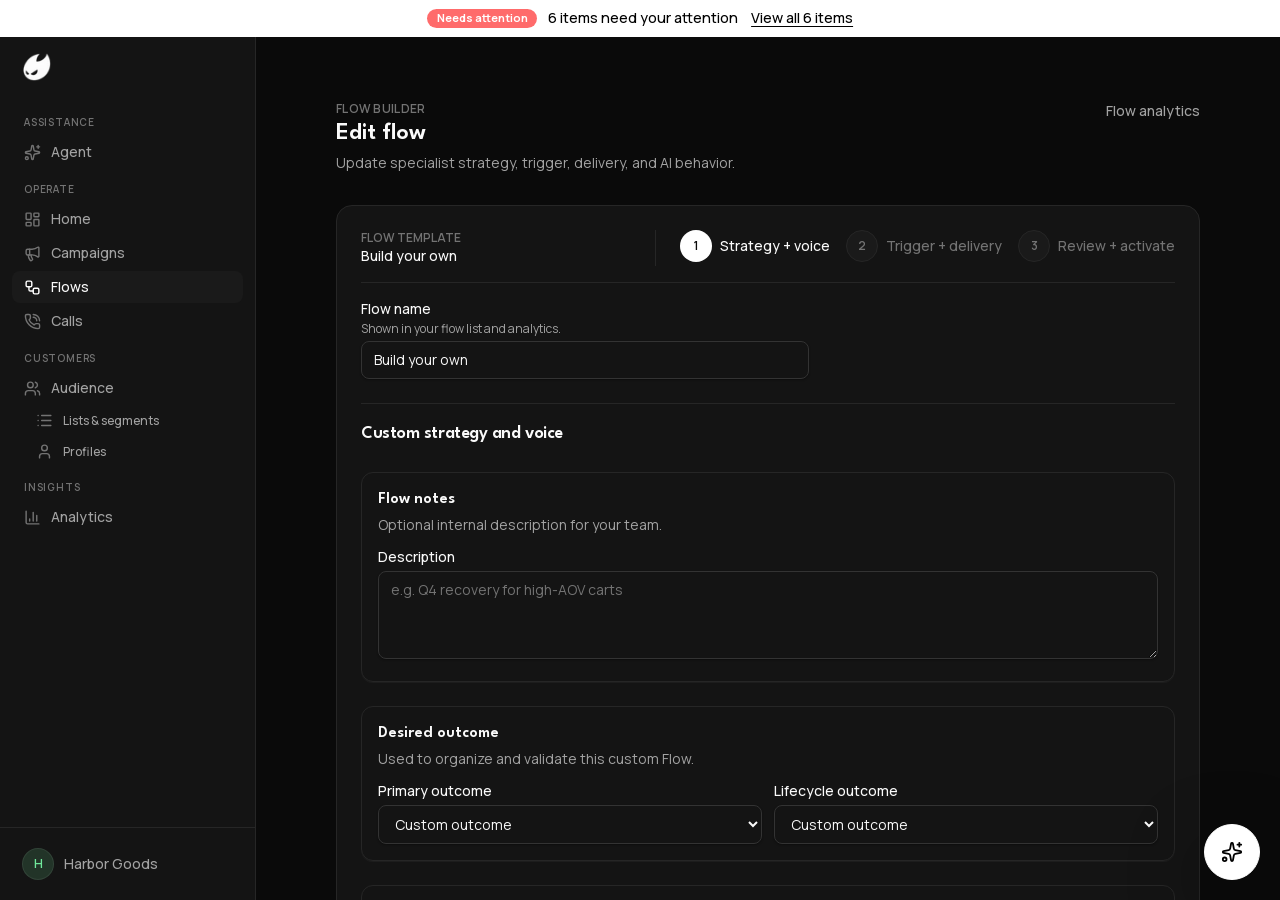
The cards on Flows are Abandoned Checkout Recovery, Post-Purchase Cross-Sell, Replenishment Reminder, and Concierge Welcome. Build your own is not one of those cards. It is still a template you can open while signed in, at the new-flow page with the Build your own template.
- 1While you are signed in, open the new-flow page for the Build your own template: /flows/new?templateType=custom. The strategy page is titled Custom strategy and voice.
- 2Name the flow, pick the store, and write the outcome in your own words.
- 3Set the trigger and the audience. You still only get triggers Dial Dragon supports. You cannot invent a “someone viewed the homepage” trigger.
- 4Set timing, the caller number, and any offer. Offers stay off until you add one.
- 5Save, place a test call, and turn it on. The same checks apply: store connected, caller number ready, required fields filled in.
If the four templates cover the job, use them. They already know the Shopify event, the default delay, and which texts make sense. Build your own is for a playbook those four do not match. Win-back and high-intent product follow-up are not available for new flows.