

Abandoned checkout recovery
Call after a shopper leaves checkout, with their cart and their own recovery link on the line.
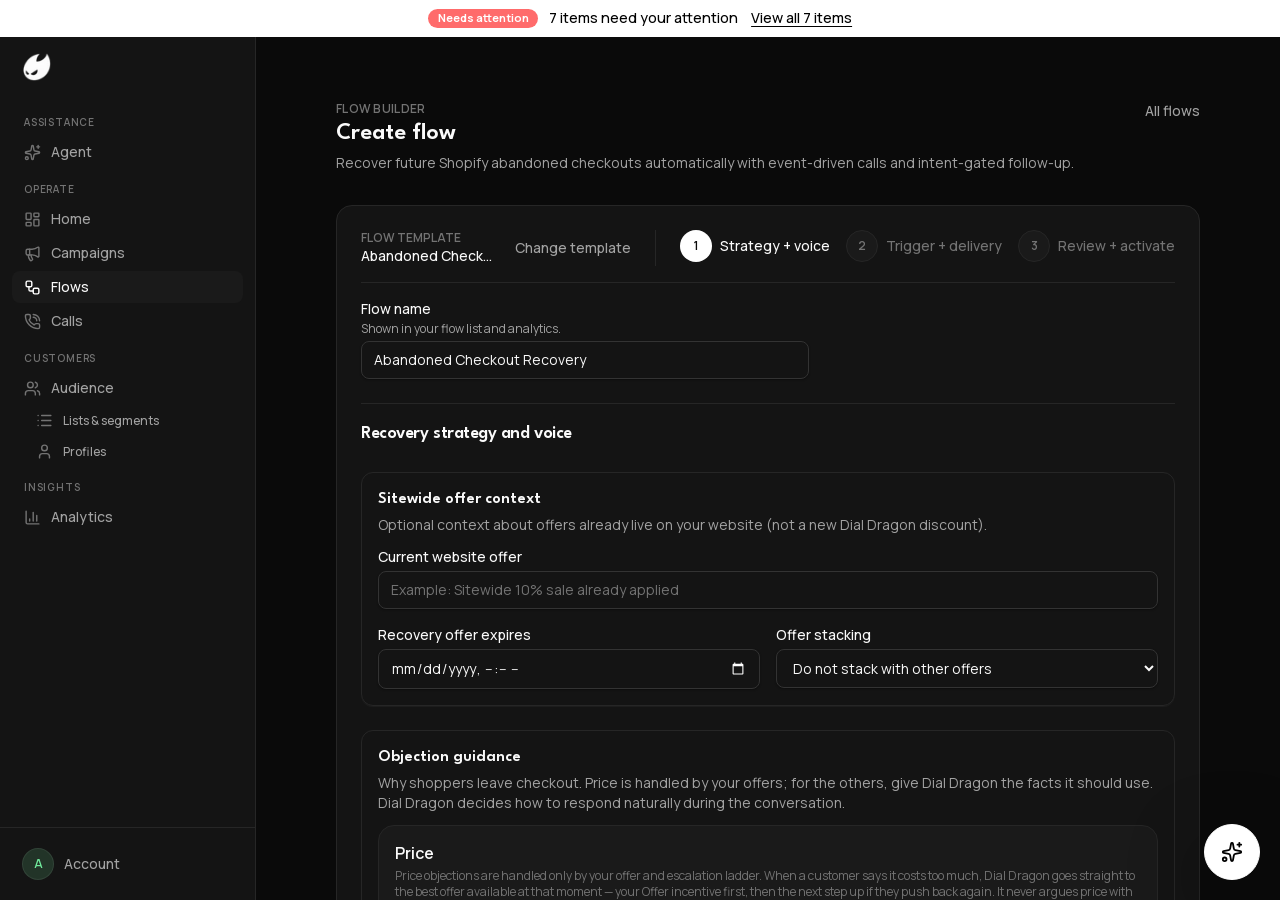
Abandoned Checkout Recovery starts from a Shopify abandoned checkout. The customer also has to qualify for the audience you pick. If you leave that empty on purpose, there is no extra audience filter. The usual starting point is Abandoned Cart (Last 24h).
Build it
- 1Flows → Recover revenue → Abandoned Checkout Recovery.
- 2On page 1, set the recovery focus, any offer you actually want used, and the voice. Offers stay off until you add one.
- 3A price objection can step up to a second offer, and then a final one, only if you turn that on and fill the offers in. Dial Dragon will not invent a discount.
- 4On page 2, check the delay, the calling window, the caller number, and which texts to send. The default first call is 2 hours after the checkout is abandoned, with a second try 24 hours later. Both are editable.
- 5Save, place a test call on page 3, then turn the flow on.
On the call, Dial Dragon loads that shopper’s checkout, the line items, and their recovery link. If they buy, or if they answer, the flow stops calling them. Texts for this flow can include the checkout link or an approved discount code, if you left those types checked.
Create the discount in Shopify first, then paste the same code into the offer. Dial Dragon does not create Shopify discounts.
Timing people actually use
The default first call is 2 hours after the checkout is abandoned, inside a window of 10:00 a.m. to 6:00 p.m., Monday through Saturday. A second try is 24 hours later. Both the delay and the window are editable on page 2. A call that would fall outside the window waits for the next open slot, unless you set the flow to skip it.
The shopper has to be in the audience you selected. Membership is checked when the checkout is abandoned, not frozen on the day you turned the flow on. Abandoned Cart (Last 24h) is the usual audience. All Customers is allowed. A minimum checkout value, if you set one, drops smaller carts before anyone is enrolled.
If the flow is on and the phone stays quiet
- The checkout is not abandoned yet, or the 2 hour delay has not passed.
- The customer has no phone number, or the number is outside the US and Canada numbers Dial Dragon dials.
- They are marked do-not-call, or they are not in the audience on the flow.
- They already bought, or they already answered a call in this run. Both of those stop the flow.
- The caller number is not Ready for calls, so the flow never actually turned on.
- It is outside the calling window. The call is waiting, not deleted. Calls shows queued when it is lined up.