

Workspace name, logo, and time zone
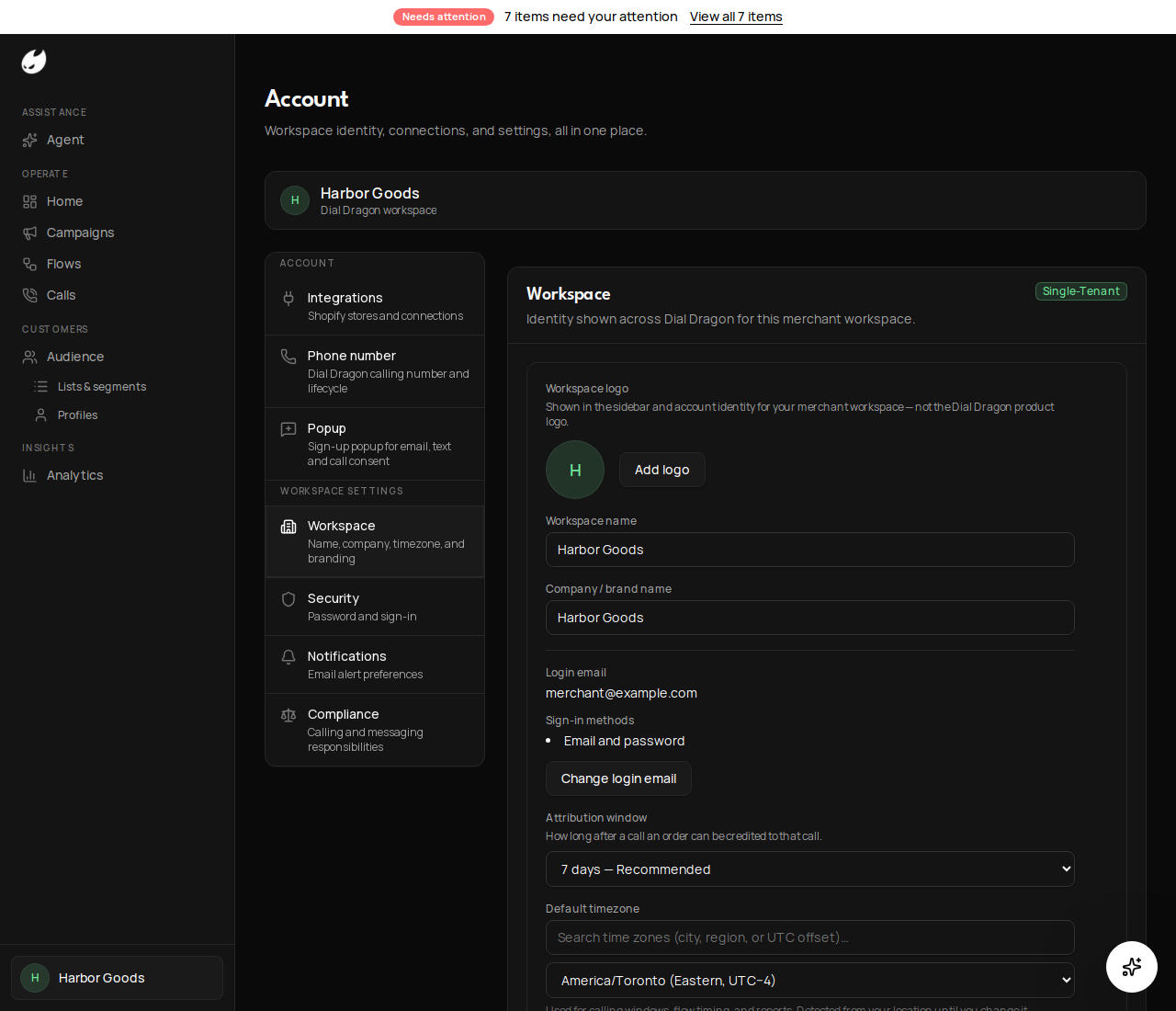
Account → Workspace holds the workspace name, the company, the default time zone, the attribution window, and the logo. The time zone is the fallback when a customer’s zone is unknown.
Open Account → Workspace. The fields that change how the app behaves, not just how it looks, are the default time zone and the attribution window.
- Default time zone. Calling windows use the customer’s local zone when Dial Dragon knows it, then the zone pinned on that flow or campaign, then this workspace default.
- Company and brand name. This is the name inside Dial Dragon. The caller name on the phone is a separate 15-character field under Phone number.
- Logo. The workspace logo is not the same file as the square 256 × 256 branded-calling logo.
- Login email. Changing the email you sign in with is on this page, not under Security.
Delete account is at the bottom of this same page, and only the workspace owner should use it. The time zone change does not move calls that are already in progress. It applies to the next decision about when a queued dial is allowed.