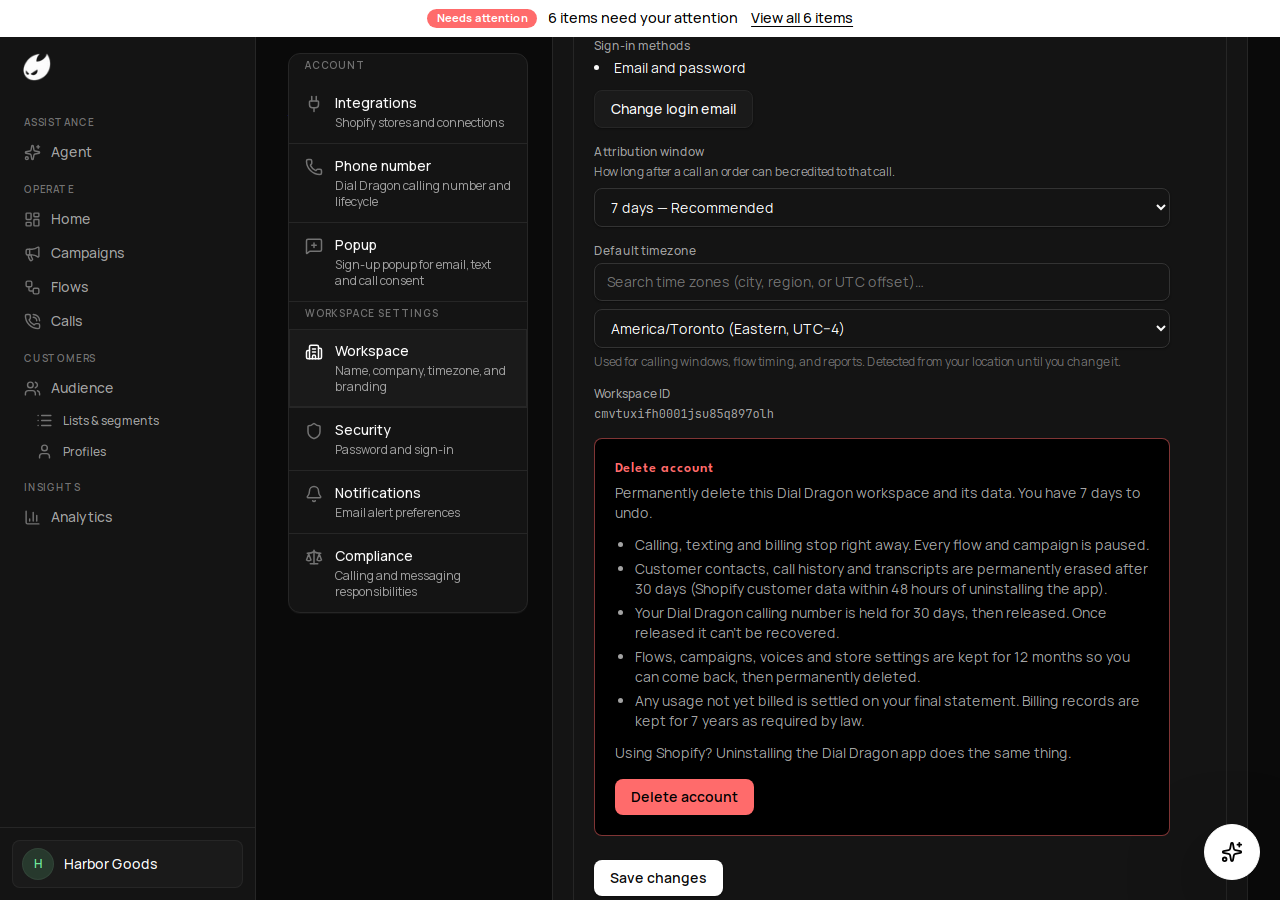
Delete your account
The workspace owner deletes it from Account → Workspace. You have 7 days to undo an in-app delete.
The workspace owner uses Delete account at the bottom of Account → Workspace and types the workspace name to confirm. You have 7 days to undo that in-app request. Uninstalling the Dial Dragon app in Shopify closes the account and does not leave that undo window.
- Calling, texting and billing stop right away. Every flow and campaign is paused.
- Customer contacts, call history and transcripts are permanently erased after 30 days (Shopify customer data within 48 hours of uninstalling the app).
- Your Dial Dragon calling number is held for 30 days, then released. Once released it can't be recovered.
- Flows, campaigns, voices and store settings are kept for 12 months so you can come back, then permanently deleted.
- Any usage not yet billed is settled on your final statement. Billing records are kept for 7 years as required by law.
Reinstall Dial Dragon from Shopify within 12 months and the settings come back, with flows and campaigns paused. To export or ask a question about workspace data before you delete, email support.