

Upload a customer list
A list is a CSV. First name, last name, and phone are required. Consent columns and the attestation on the upload are how call permission gets recorded.
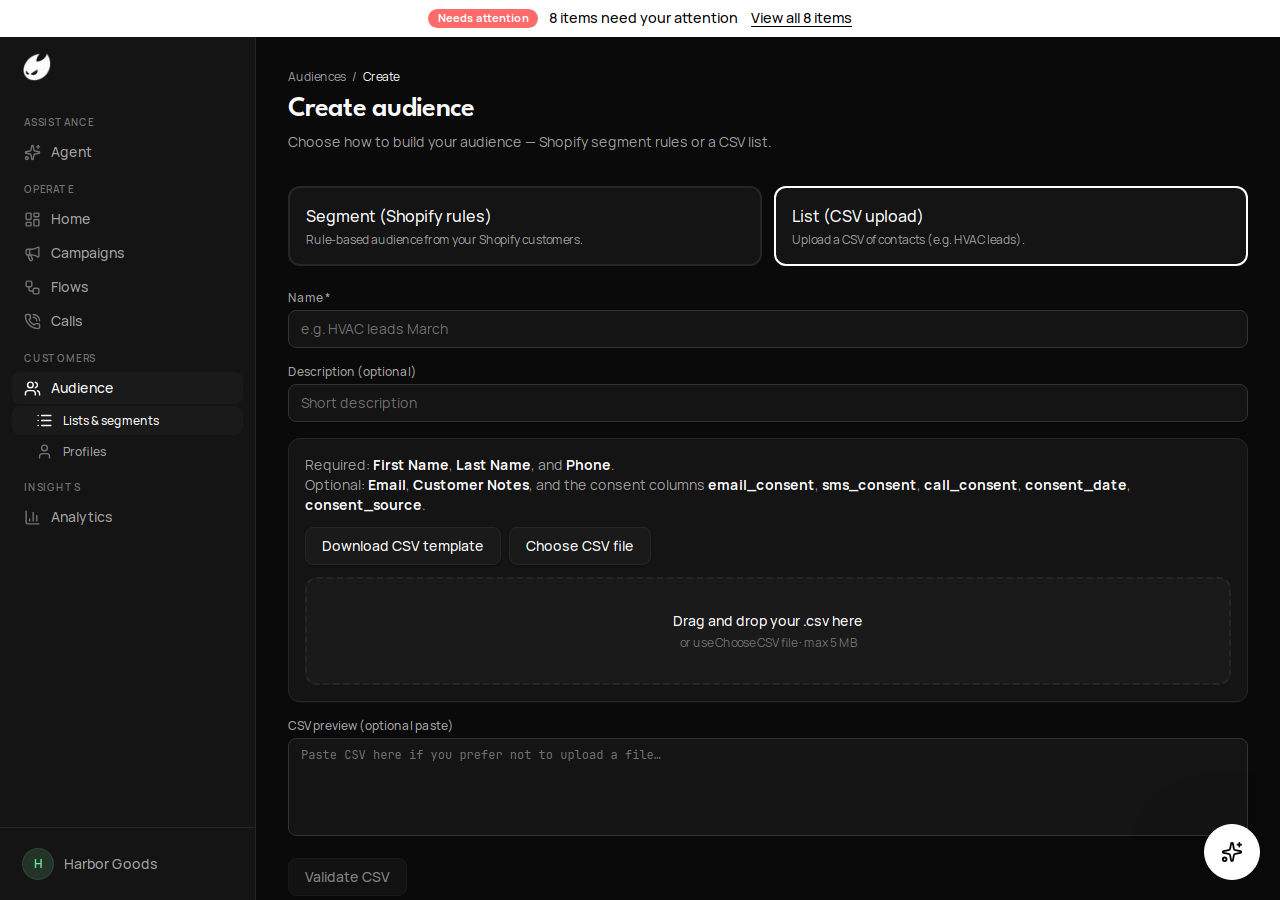
Audience → Create audience → List (CSV upload). Download CSV template before you build the file. The template’s first row is the headers. A row that starts with # is a comment and is skipped.
- Required: First Name, Last Name, and Phone.
- Optional: Email, Customer Notes, email_consent, sms_consent, call_consent, consent_date, and consent_source.
- call_consent is yes or no. Yes means that person gave explicit written consent to AI phone calls.
- consent_date is YYYY-MM-DD. consent_source is where they agreed, such as checkout or a sign-up form.
- The file can be up to 5 MB and 25,000 rows. Bigger than that, split it.
On the upload you also attest. Tick the channels they actually agreed to, say where and when, and paste the exact wording they saw. If you tick AI phone calls, the wording has to mention automated, AI, or prerecorded calls. If it does not, those customers will not get calls. Texts you ticked can still apply. You confirm you can show proof and that you are responsible for having that consent.
A phone number in a cell is not permission. Do-not-call still blocks a dial. Numbers outside the US and Canada places Dial Dragon supports are not called. The in-app Agent cannot upload a CSV for you.