

Reinstall the Shopify connection
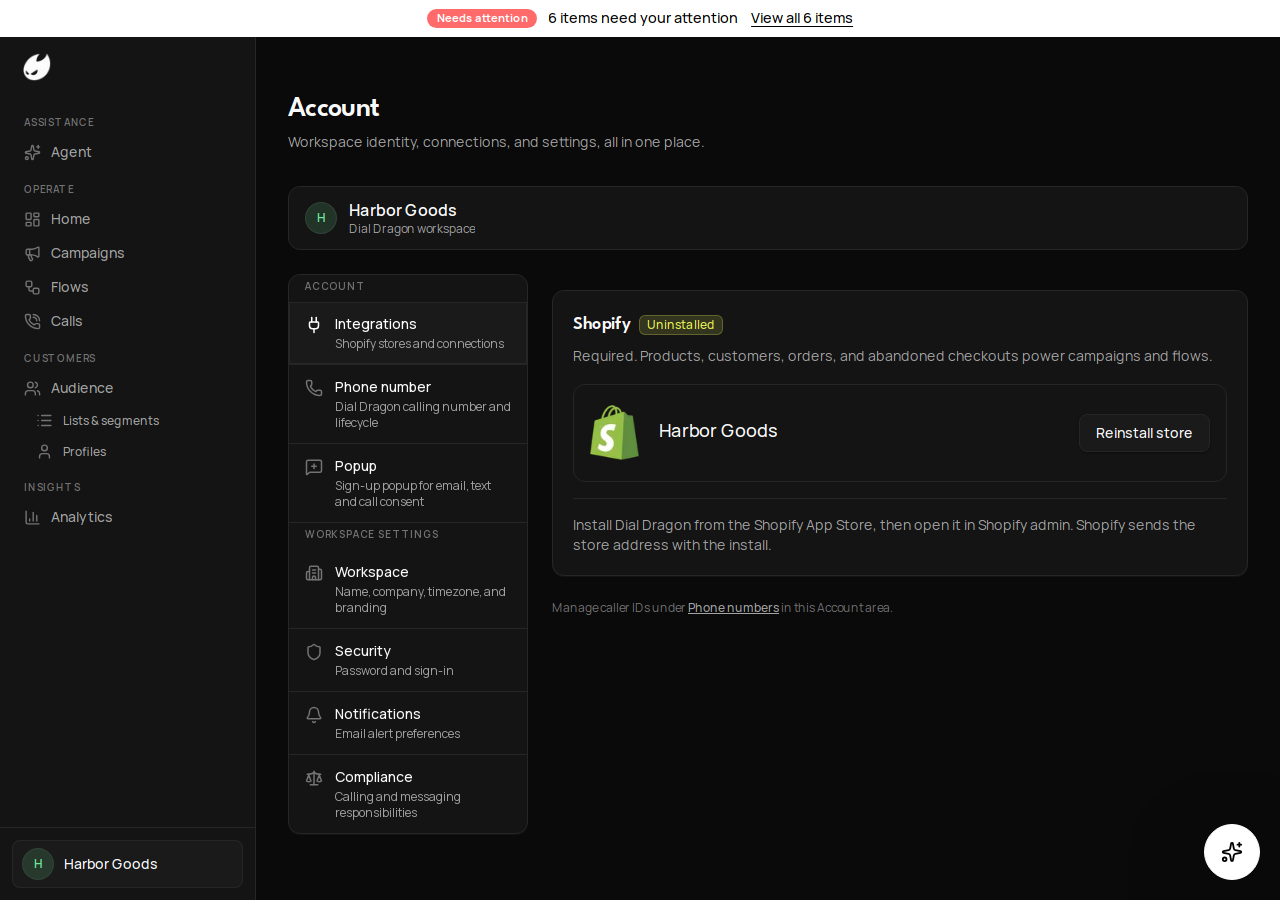
Reinstall store on the store card asks Shopify for access again. It does not erase the programs you already built. Uninstalling the app from Shopify is the action that closes the account.
Reinstall store is on the store card under Account → Integrations. Use it when Dial Dragon lost access, the app was removed and you want the same workspace back, or Shopify asked you to approve the app again.
- 1Open Account → Integrations.
- 2On the right store card, choose Reinstall store.
- 3Approve Dial Dragon in that shop’s admin.
- 4Confirm the card, then open the store profile and read anything the new sync filled in.
Uninstalling Dial Dragon inside Shopify admin is not a reinstall. That closes the account and does not leave the 7 day undo you get from Delete account inside Dial Dragon. Reinstalling within 12 months restores settings, with flows and campaigns paused.